
Fulfillment preferences
Open Settings > Fulfillment to set the fulfillment start date and packing slips. This section appears when fulfillment is enabled for your Account.
Set the fulfillment start date
Section titled “Set the fulfillment start date”Choose a date under Fulfillment start date, then select Save. Orders before that date are excluded from fulfillment workflows.
Use this when starting fulfillment in Sqquid so older orders do not enter the work queue. Check this date if an order is missing from Fulfillment, then find and pick orders.
Customize packing slips
Section titled “Customize packing slips”Under Packing slips, select a preview to edit the default document or an existing Connection-specific document. To add one for another eligible Connection, select the + tile and choose the Connection.
You can upload a logo, show or hide the order number and order barcode, and add footer text such as return instructions. The footer also accepts HTML.
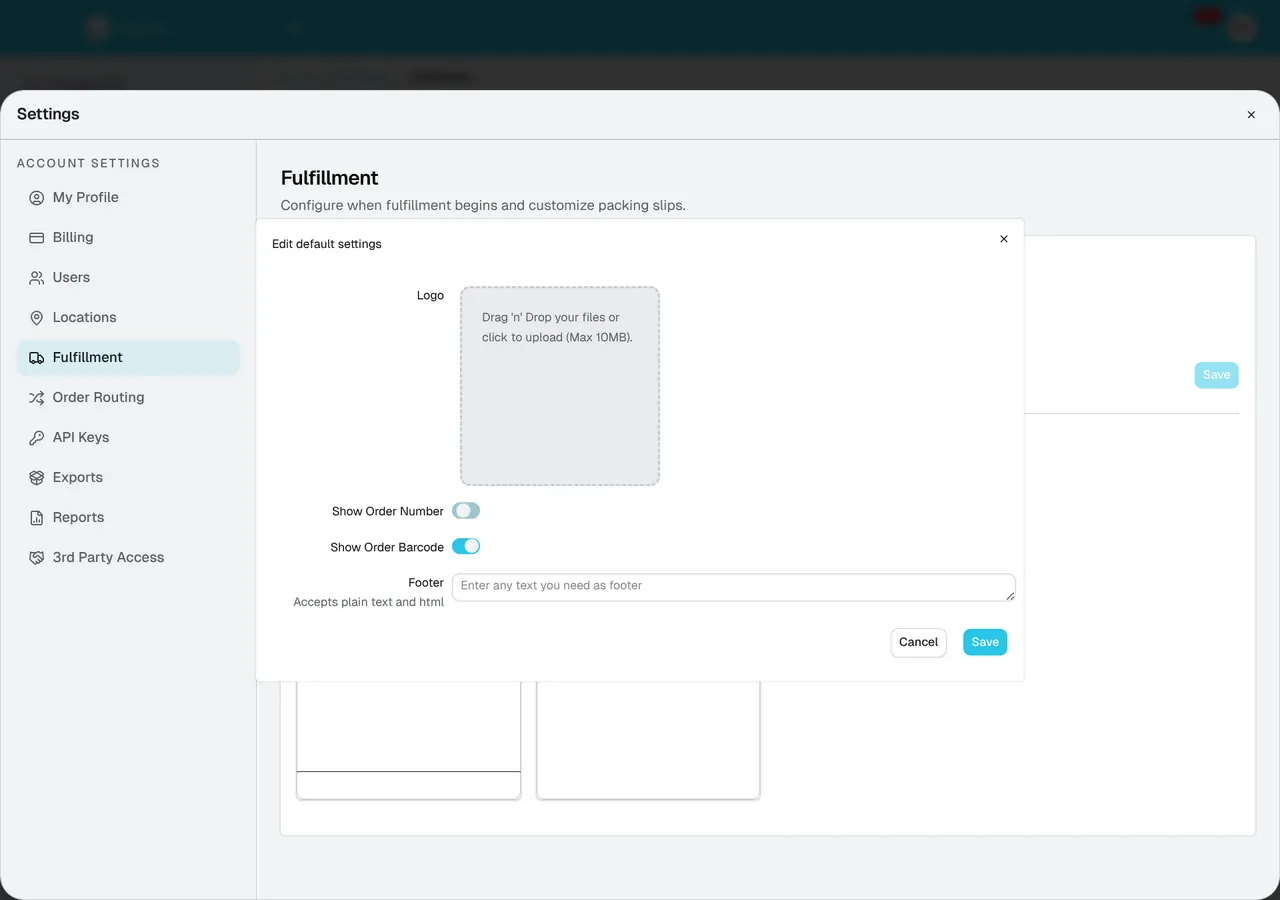
Drop your logo into the upload area or click it to choose a file, up to 10 MB.
Select Save when finished. Use the default packing slip for shared branding and a Connection-specific slip when a storefront needs its own details.
See Reprint labels and packing slips to open shipment documents, or the Fulfillment overview for shipping requirements.