
RunIt POS settings
Open Sqquid, select Connections, and choose the RunIt POS Connection.
General
Section titled “General”| Setting | What it controls |
|---|---|
| Connection name | How the RunIt Connection is listed in Sqquid. |
| Store ID | The RunIt store identifier used by the API. |
| API URL | The RunIt web API endpoint used by Sqquid. |
The Store ID and API URL identify the RunIt account Sqquid accesses. Check both with your RunIt administrator before changing them on a live Connection.
Product import
Section titled “Product import”| Setting | What it controls |
|---|---|
| Only import items marked “Sell on the Web” | Restricts product and inventory imports to RunIt styles marked for web sale. |
| Sync ALUs | Imports RunIt ALUs for workflows that use them. |
Pricing
Section titled “Pricing”| Setting | What it controls |
|---|---|
| Base price | Selects the RunIt price field used as the product price. |
| Special price | Selects the RunIt price field used as the sale price, or disables a separate sale price. |
| Apply timed sales to special price | Uses a current RunIt barcode sale as the special price when available. |
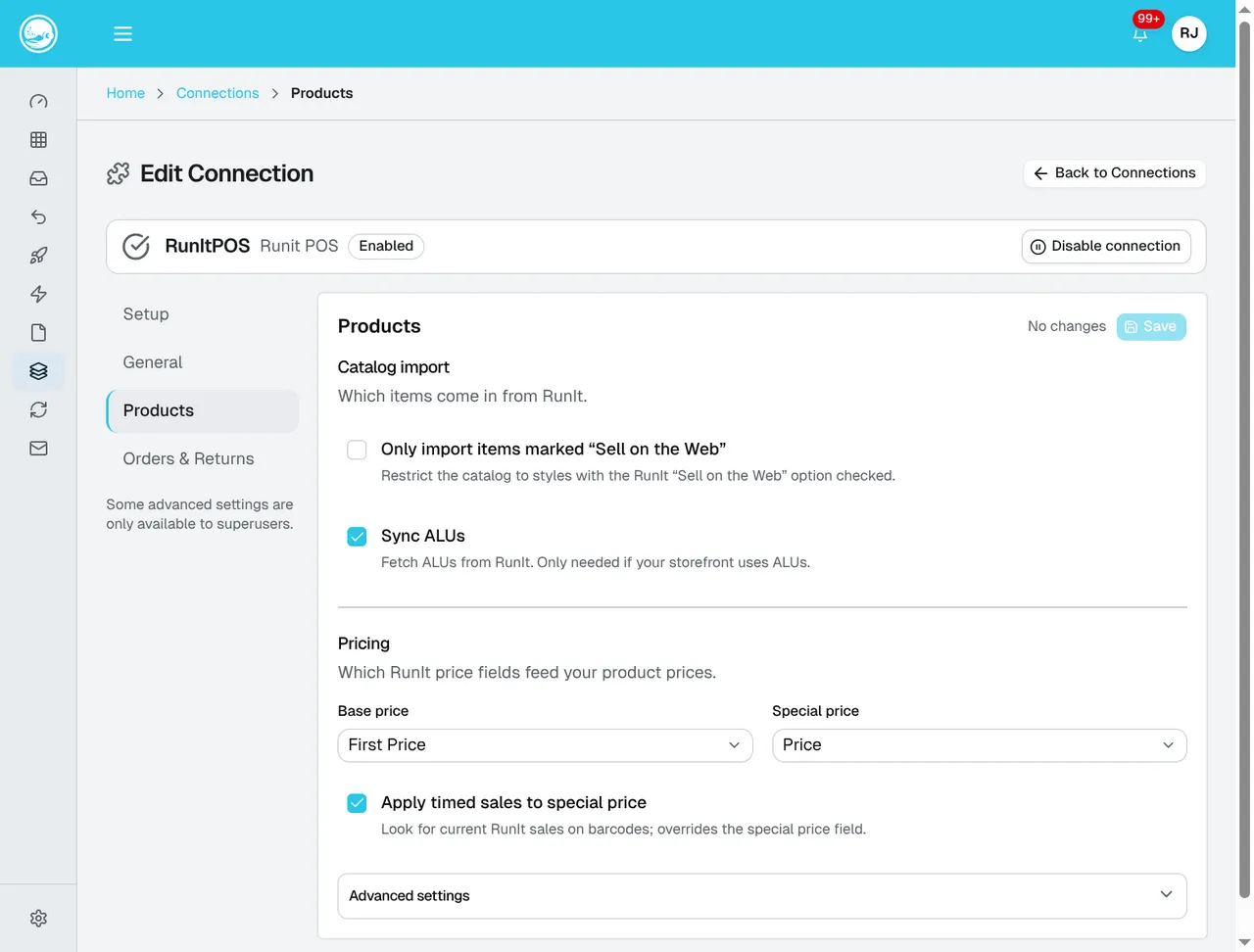
The import filters and price sources are on Products. Choose the fields your team uses in RunIt; the selections shown here are an example.
Product naming
Section titled “Product naming”| Setting | What it controls |
|---|---|
| Product name prefix | Places Brand, Style, or Web Description before the main product name, or uses no prefix. |
| Product name | Selects the RunIt field used as the main product name. |
| Name separator | Inserts text between the prefix and main name. |
| Name case | Leaves capitalization unchanged or applies title, upper, or lower case. |
| Add size/color to product name | Adds RunIt color and size to variant names. |
| Short description source | Selects Style, Brand, Product Name, or Web Description. |
Categories and brands
Section titled “Categories and brands”| Setting | What it controls |
|---|---|
| Category levels to sync | Imports between one and five levels of the RunIt category hierarchy. |
| Category name case | Controls capitalization for imported categories. |
| Default brand casting | Controls capitalization for imported brand names. |
| Custom brand casting | Preserves exact capitalization for a comma-separated list of specific brands. |
Orders and returns
Section titled “Orders and returns”| Setting | What it controls |
|---|---|
| Shipment sync | Notifies RunIt when orders ship through Sqquid. |
| Export returns | Sends supported Sqquid returns back to RunIt. |
These settings affect future processing. Review queued or failed shipments and returns before changing them.
Delete the Connection
Section titled “Delete the Connection”Deleting the Connection stops future synchronization and removes it from Sqquid. It does not delete information from RunIt.
Because RunIt is the product and inventory source for a POS-led Account, deleting it can prevent normal product, inventory, order, shipment, and return workflows. Contact help@sqquid.com before deleting a live RunIt Connection.