
Shopify settings
Open Sqquid, select Connections, and choose the Shopify Connection.
General
Section titled “General”| Setting | What it controls |
|---|---|
| Connection name | How the Shopify Connection is listed in Sqquid. |
| Gift cards | Enables the optional 99minds gift card workflow. This also requires 99minds setup. |
| Gift card API key | The 99minds credential used when gift cards are enabled. |
| Reconnect | Refreshes Shopify authorization after permissions or credentials change. |
Products
Section titled “Products”| Setting | What it controls |
|---|---|
| Product data flow | Selects Sqquid managed, Connection managed, or custom field behavior. |
| Field sync matrix | In custom mode, chooses which product fields Sqquid sends when creating and updating Shopify products. |
| Sync new products automatically | Automatically enrolls new source products in Shopify synchronization. Existing products are unchanged. |
| Sync mode for new products | Chooses full product synchronization or inventory-only synchronization. |
| Default visibility | Creates full-sync products visible or hidden in Shopify. |
| Fallback match by ALU/UPC | Tries ALU or UPC matching when Sqquid cannot find a SKU match. |
Locations
Section titled “Locations”| Setting | What it controls |
|---|---|
| Inventory by location | Sends inventory to individual Shopify locations instead of one combined pool. |
| Location map | Pairs each participating Sqquid location with one Shopify location. |
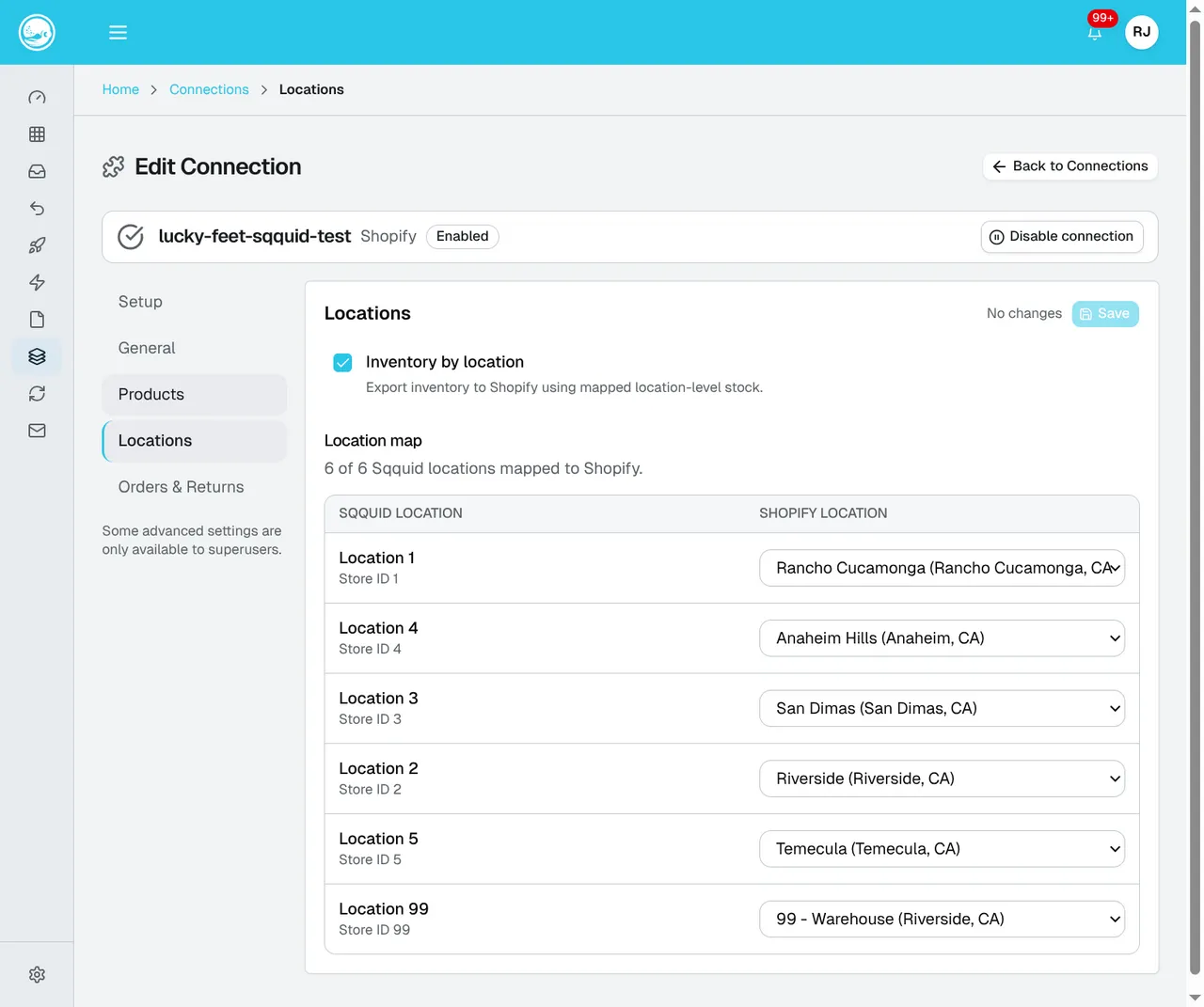
Check each pair against the physical store or warehouse it represents, then select Save. Follow Inventory and locations for the setup steps.
Orders and returns
Section titled “Orders and returns”| Setting | What it controls |
|---|---|
| Order bot protection | Skips orders detected as bot-generated. |
| Order tag allowlist | Imports only orders with one of the exact listed Shopify tags. Empty means no tag is required. |
| Order tag ignore list | Skips orders with any exact listed tag. |
| Import returns | Brings supported Shopify returns into Sqquid. |
| Return to fulfillment store | Sends returned inventory back to the fulfilling location. |
| Return location | Selects a fixed destination when returns do not go back to the fulfillment location. |
Delete the Connection
Section titled “Delete the Connection”Deleting the Connection stops future synchronization and removes it from Sqquid. It does not delete the Shopify store.
Before deleting a live Connection, confirm that pending products, orders, shipments, and returns no longer depend on it.