
EasyPost settings
General
Section titled “General”Store the production and test API keys under General. New Connections start in test mode, which uses the test key. Live mode uses the production key. Switching modes does not turn an existing test label into a real label.
Label purchase
Section titled “Label purchase”On Label Purchase, set automatic rate selection, the cost threshold, address validation, packing-slip behavior, and label format.
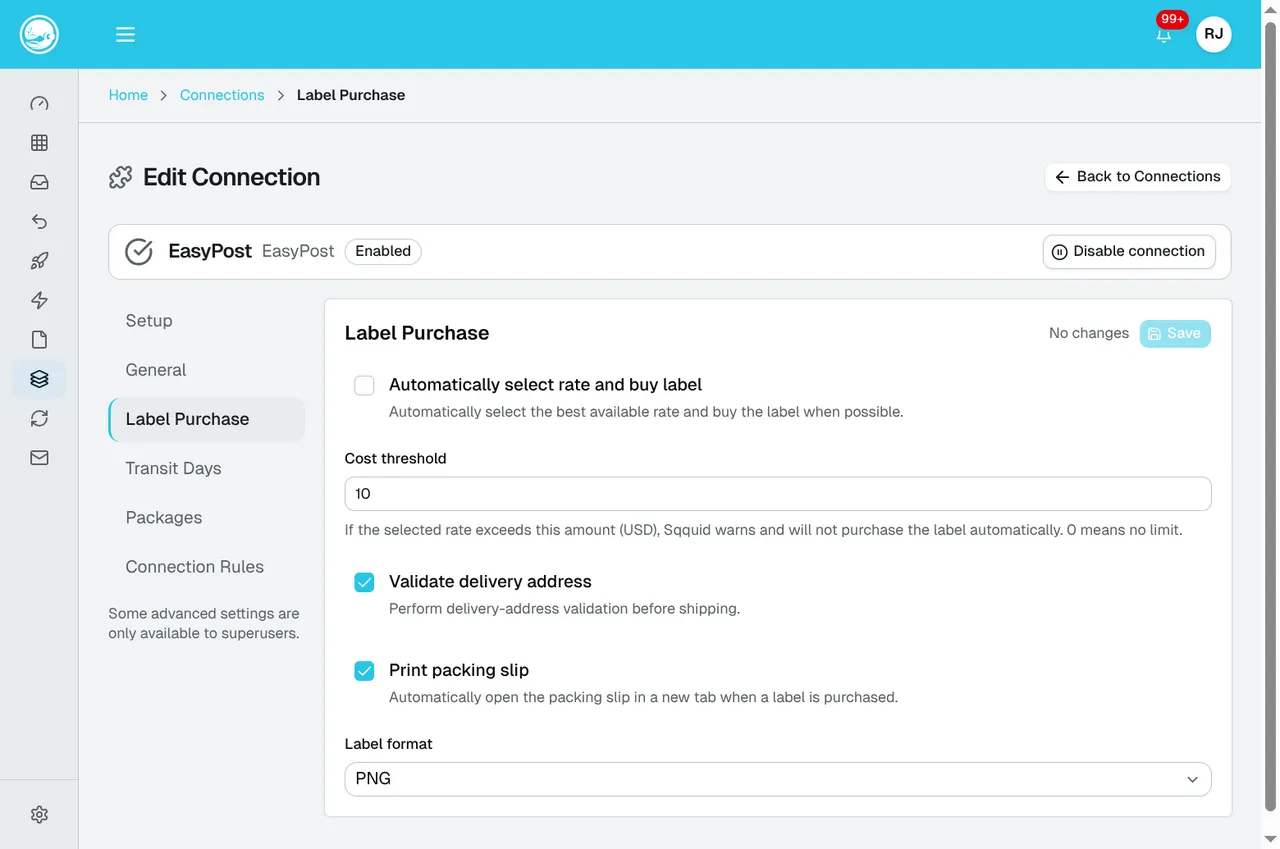
Review automatic purchasing and the cost threshold before requesting rates. The values shown are an example. Follow Buy shipping labels for the purchase steps and Carrier pickups and manifests to arrange collection after buying labels.
Transit days
Section titled “Transit days”| Setting | What it controls |
|---|---|
| Weekend buffer | Adjusts transit calculations around weekends. |
| Show methods outside range | Also offers services outside the requested delivery range. |
| UPS SurePost buffer | Adds days to the related UPS Ground estimate. |
| Shipping method mappings | Assigns expected days to named methods. |
Packages and Connection rules
Section titled “Packages and Connection rules”Package presets store dimensions and weight. Rules for each sales Connection can require a preset, exclude shipping methods, or prioritize preferred methods.
Deleting EasyPost stops new rate and label requests. Existing labels and carrier charges are not cancelled automatically.